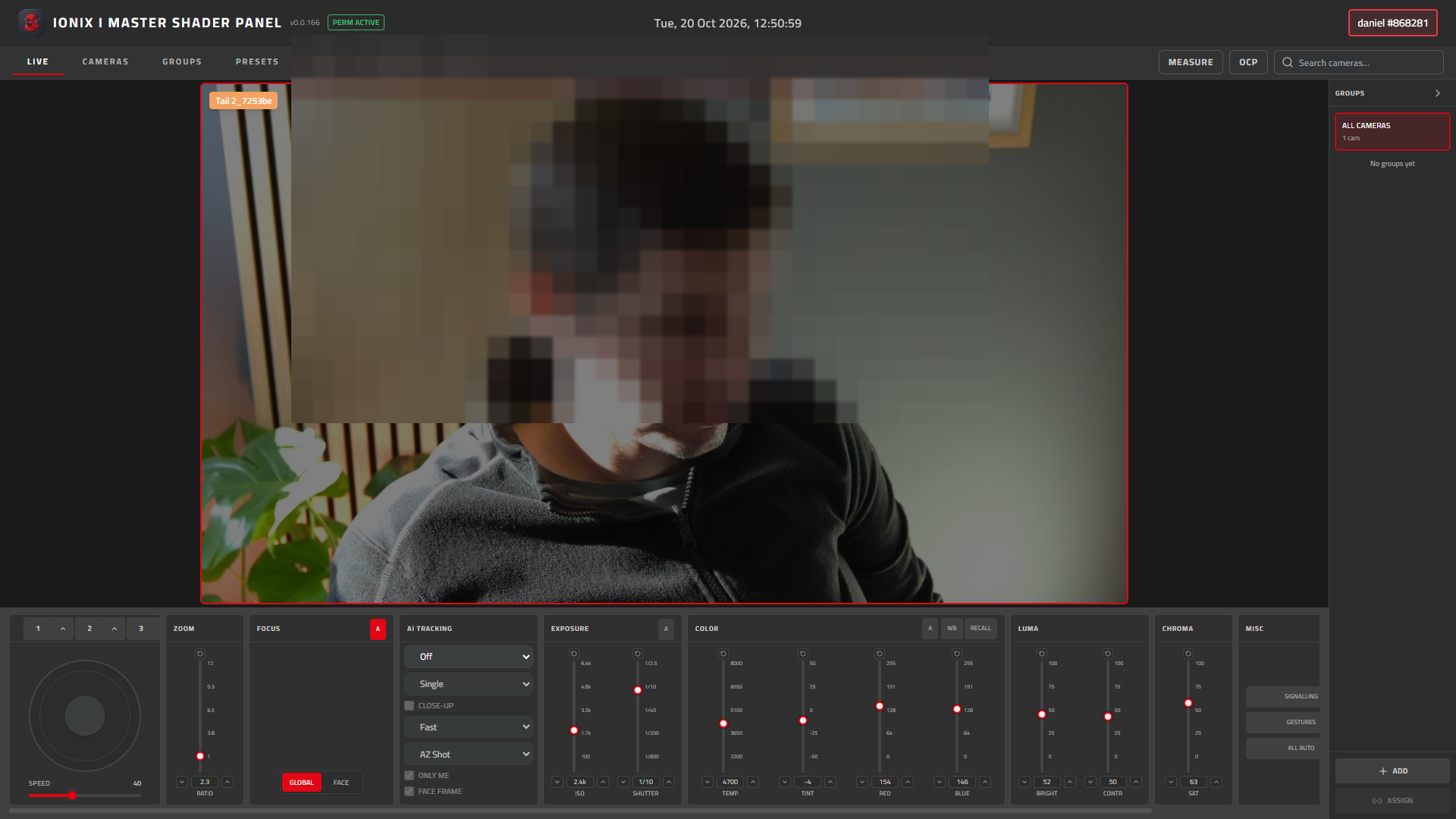
Master Shader Panel is IONIX’s on-premise software for live camera shading and remote camera control. It runs on the production network next to the cameras — where latency, reliability, and operator feel matter most.
The product targets the shader / vision role: match cameras, ride iris, keep paint consistent across a multi-camera show, and keep controls readable when the next shot is already being called.
Why it stays local
Camera control belongs close to the fleet. Master Shader Panel is built for Windows deployments on the camera LAN — for OB trucks, studios, and temporary event installs.
Live shading workflows
Operator-focused controls for matching and adjusting cameras in rehearsal and show.
Modern camera support
Designed around contemporary camera families used in live production.
Dedicated control surface
A dense production UI — not a consumer settings page.
Windows builds
Install on a machine on the camera LAN and work without a cloud dependency.
IONIX family
Familiar visual language if you already use Broadcast Intercom.
Latest download
One public link always points at the newest published Windows build.
Who it is for
- Vision / shader operators on multi-camera live productions
- OB and studio environments that need local camera control
- Event productions running cameras on a dedicated production LAN
- Teams standardising on IONIX tools across talk and picture
Early Windows build — download and use at your own risk. No commercial support or SLA.